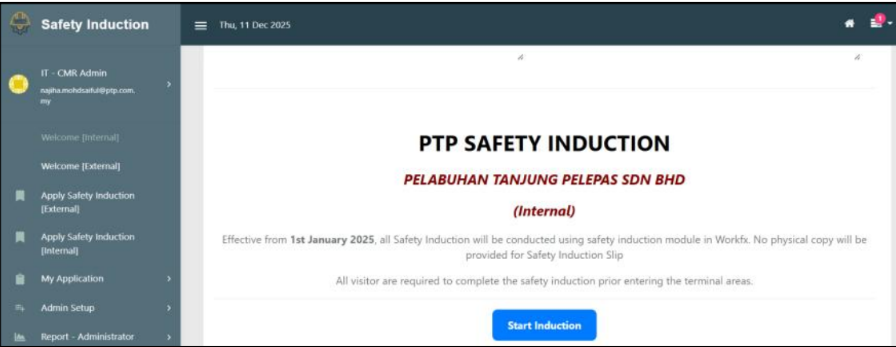
Login Safety Induction Kiosk System
Overview
This guide explains how to log in to WorkFx and access the Safety Induction Kiosk system.
Steps
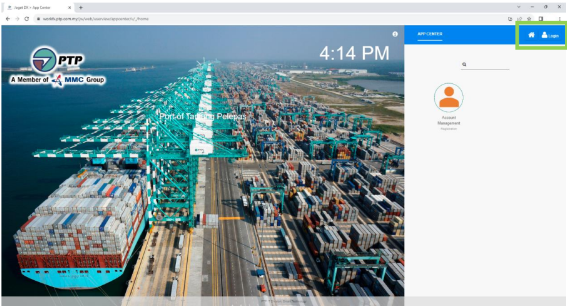
1: Click Login
- Go to https://workfx.ptp.com.my and click on the
loginbutton
2: Enter Credentials
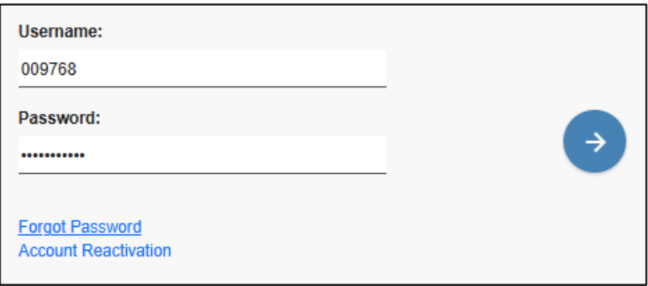
- Insert
UsernameandPasswordin WorkFx, then click the Arrow button to proceed.
3: Login Successful
- Users should be logged in and able to access WorkFx.
4: Safety Induction Kiosk Visible
- Users can see
Safety Induction Kioskon the home page after login.

5: Open Kiosk
- Click
Safety Induction Kioskto open the Safety Induction Kiosk system homepage.